A module is an optional UI element that appears in a scrolling list below the user's tickets on the My Tickets page. Each module can contain an image and up to three buttons. Buttons either open a webpage or invoke a callback into your app so you can handle the action directly.
Why Modules?
The My Tickets page is where users view their tickets and barcodes before entering a venue — it's guaranteed to be visited before every event. That makes it the right place to surface ticket-adjacent UI, such as parking passes, upgrades, or venue information.
Because the My Tickets page also renders barcodes and supports offline mode, Ticketmaster maintains user-experience control over its core layout. Modules give you a defined, supported surface to add your own UI and behaviors within those boundaries.
Module Types
Prebuilt Modules
A set of common modules is available with minimal configuration. See Prebuilt Modules for the full list and setup instructions.
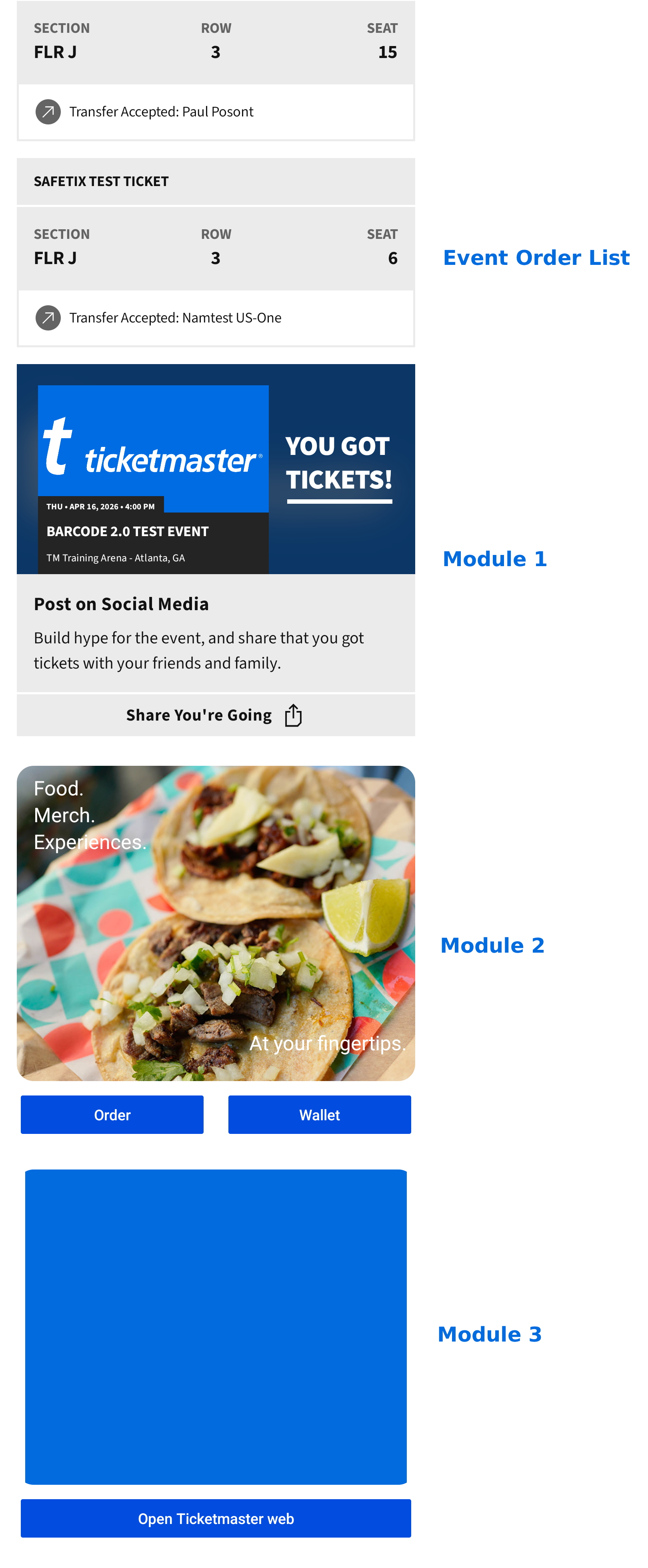
Custom Modules
You can define your own module with a custom header appearance and button actions. See Custom Modules for implementation details.
.png)
CMS Modules
Archtics clients also have access to a CMS that allows them to create modules directly, without needing to follow the integration process . To learn more about the Ignite Modules CMS, please contact your Ticketmaster support team.
CMS Creation Tool:.png)